



1. Google Analytics
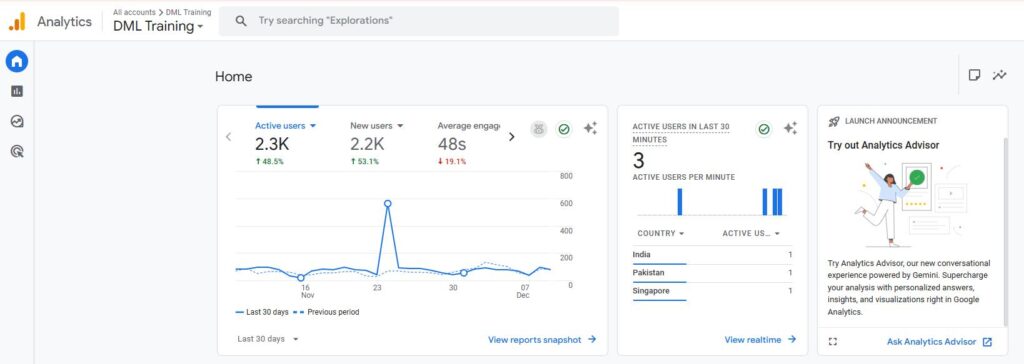
TRAFFIC ANALYSIS: Track the number of visitors, their source, and their behavior on your site.
USER INSIGHTS: Measure your website’s conversion rates and identify areas for improvement.
CONVERSIONS TRACKING: Understand user demographics, interests, and engagement to refine your strategy.
2. Google Search Console
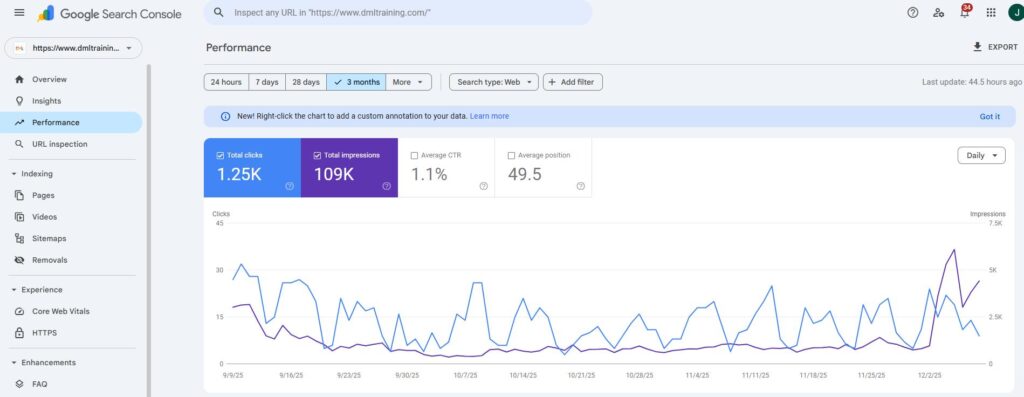
PERFORMANCE MONITORING: Track your site’s search performance and discover which queries bring the most traffic.
INDEXING STATUS: Ensure your website’s pages are properly indexed by Google.
ERROR DETECTION: Identify and fix crawling, indexing, and mobile usability issues quickly.
3. Ahrefs
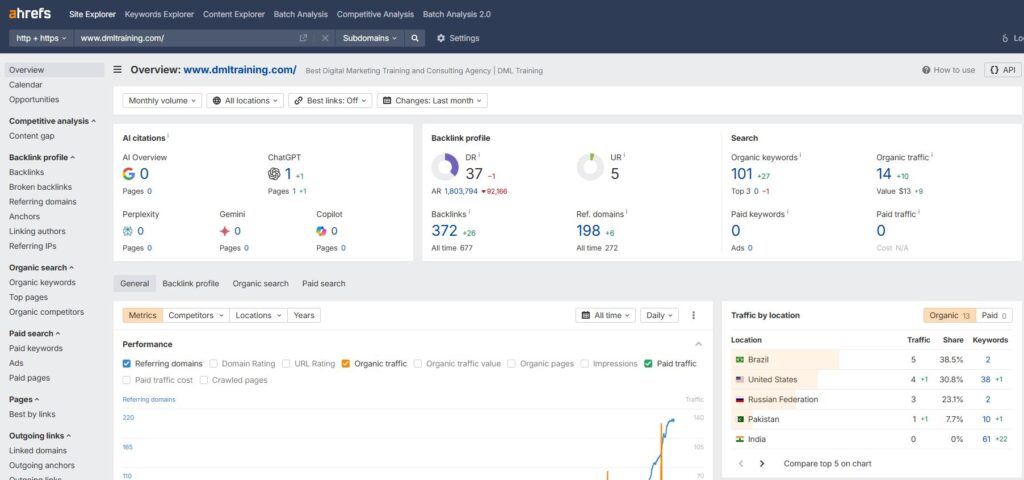
BACKLINK ANALYSIS: Explore your site’s backlink profile and identify high-quality link opportunities.
COMPETITOR RESEARCH: Analyze competitor content and keywords for a competitive edge.
KEYWORD RESEARCH: Discover keyword search volume and traffic potential.
4. SEMrush
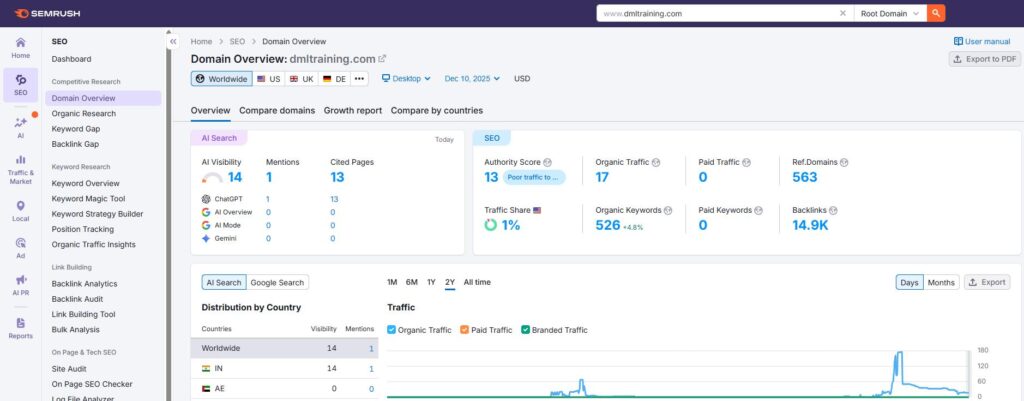
COMPREHENSIVE KEYWORD RESEARCH: Access detailed keyword data, including trends and competition levels.
SITE AUDIT: Identify technical SEO issues and optimize your site for better performance.
COMPETITOR ANALYSIS: Monitor your competitors’ rankings and content strategies to stay ahead.
5. Yoast SEO
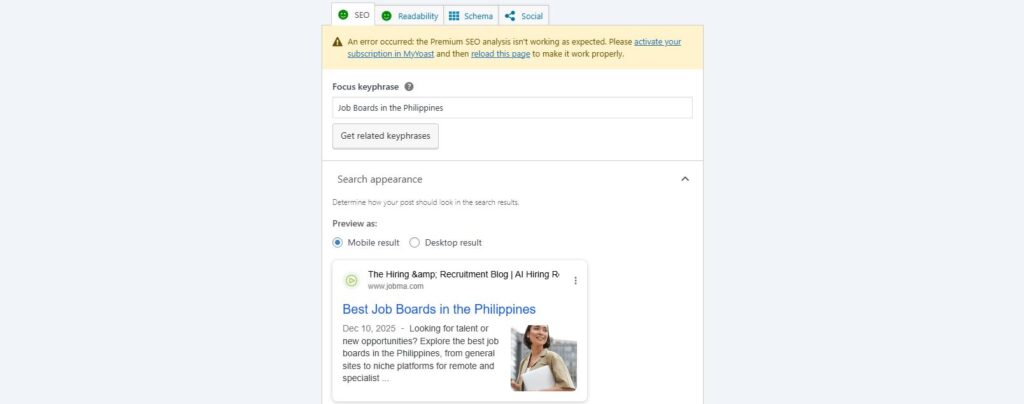
ON-PAGE OPTIMIZATION: Get real-time suggestions for optimizing content, titles, and meta descriptions.
READABILITY CHECK: Improve readability with easy-to-follow recommendations.
XML SITEMAPS: Automatically generate sitemaps to help search engines index your site efficiently.
6. Mozbar
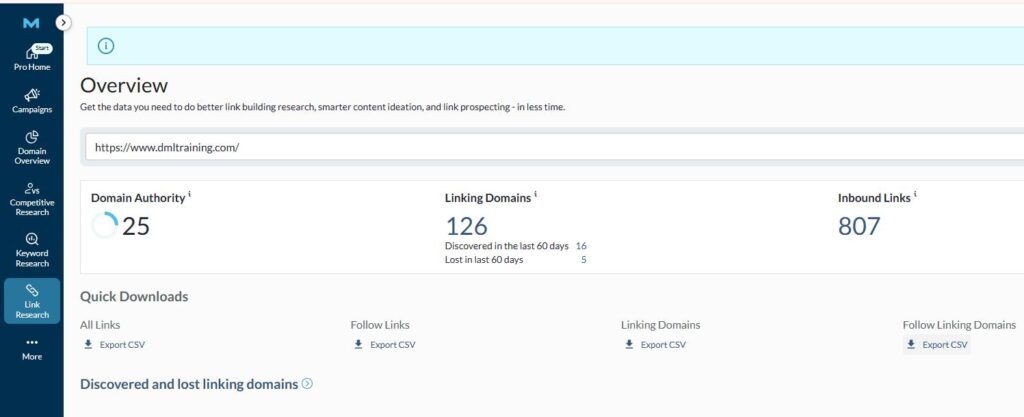
QUICK SEO METRICS: Instantly view key SEO metrics like domain authority for any website.
ON-PAGE ANALYSIS: Evaluate the SEO elements of any webpage, including titles, meta tags, and headings.
SERP OVERLAY: See how your website ranks on search engine results pages (SERPs) with ease.
7. Screaming Frog
KEYWORD SUGGESTIONS: Discover volume new keywords with search, competition, and cost-per-click data.
CONTENT IDEAS: Generate ideas for content based on top-performing pages and search trends.
SEO AUDITS: See how your website ranks on search engine results pages (SERPs) with ease.
8. Ubersuggest
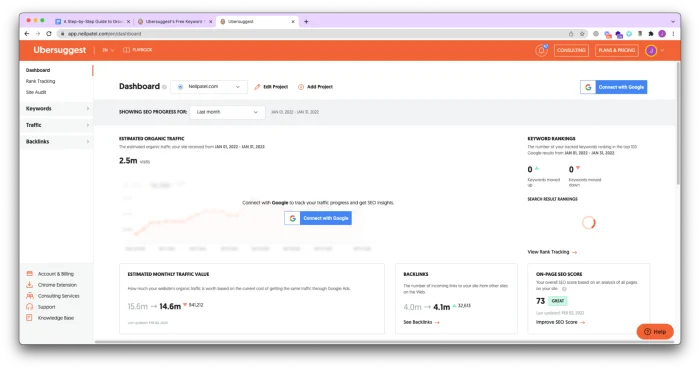
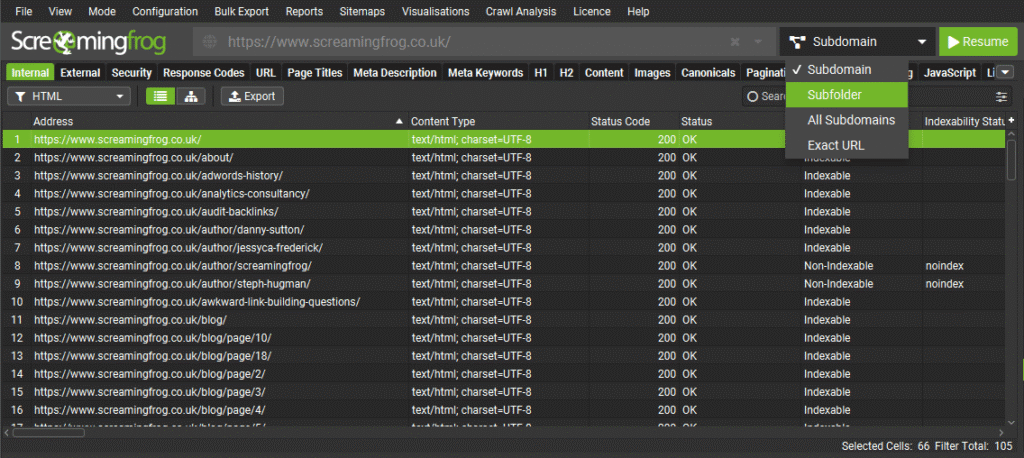
SITE CRAWLING: Identify broken links, redirects, and other issues by crawling your entire site.
TECHNICAL SEO INSIGHTS: Analyze key SEO elements like meta tags, headers, and content structure.
DUPLICATE CONTENT DETECTION: Find and fix duplicate content issues that can harm your rankings.
9. Google Keyword Planner
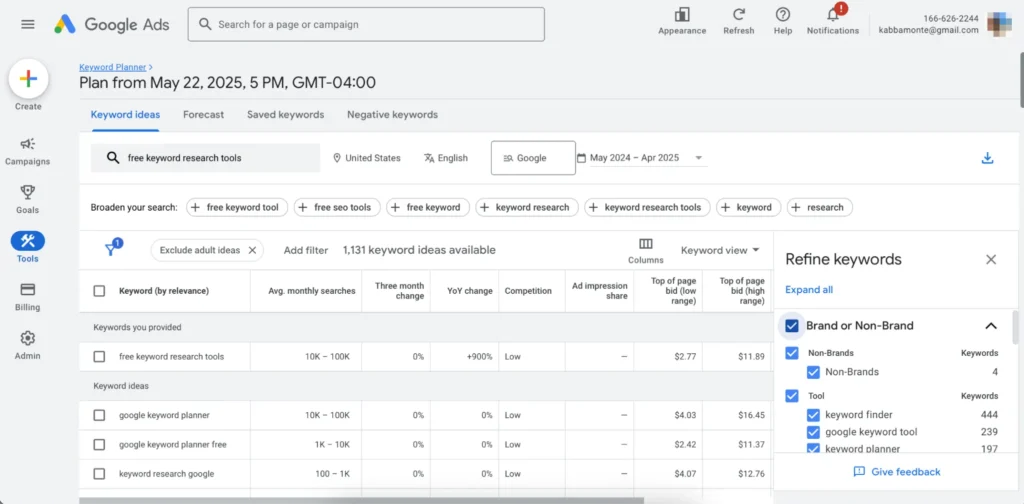
KEYWORD DISCOVERY: Find new keywords related to your business with search volume and competition metrics.
AD CAMPAIGN PLANNING: Optimize your PPC campaign with precise keyword targeting.
BUDGET-FRIENDLY: A free tool from Google, making it accessible for all beginners.
10. Keywords Everywhere
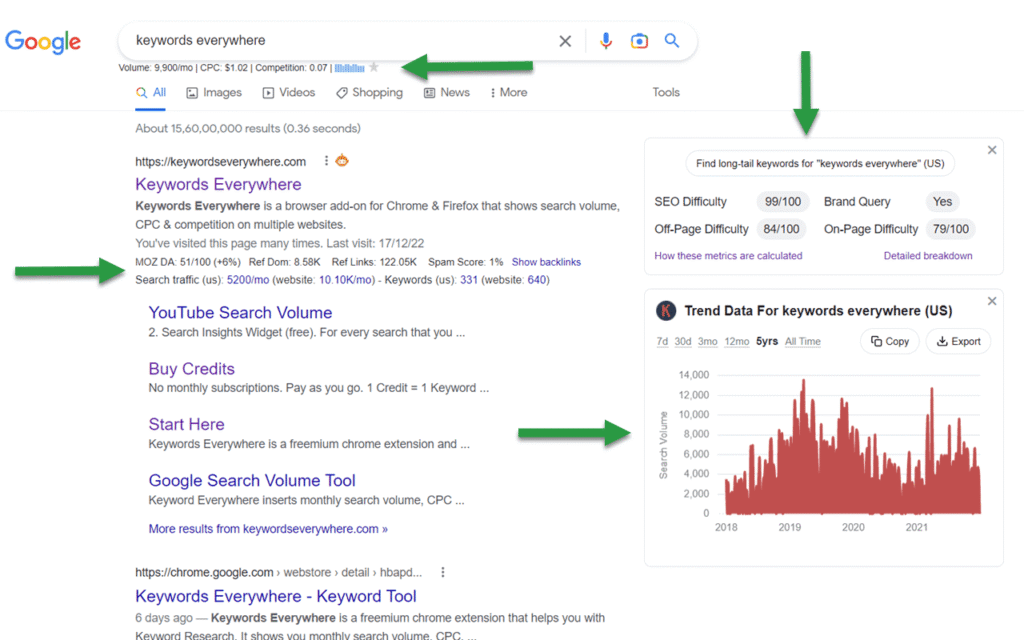
KEYWORD METRICS: Access search volume, CPC, and competition data directly in your browser.
TREND ANALYSIS: Identify trending keywords and topics to capitalize on new opportunities.
COST-EFFECTIVE: Affordable keyword research tool with a pay-as-you-go model.
11. Rankmath (WordPress)
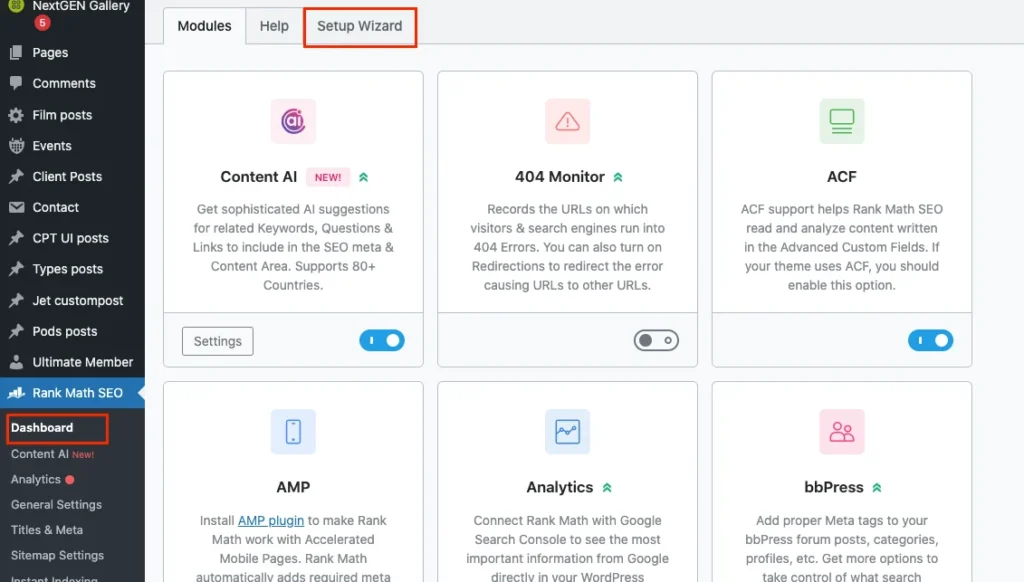
ADVANCED SEO FEATURES: Access features like rich snippets, 404 monitoring, and redirections in one plugin.
EASY-TO-USE INTERFACE: Intuitive setup and configuration process with detailed SEO analysis.
INTEGRATION: Seamlessly integrates with Google Search Console and other tools for enhanced tracking.
12. Answer the Public
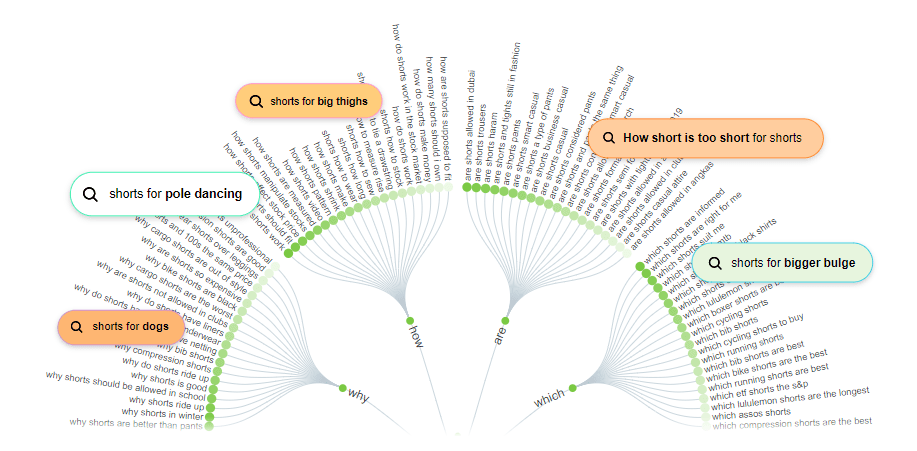
CONTENT INSPIRATION: Find new keywords related to your business with search volume and competition metrics.
KEYWORD INSIGHTS: Discover related keywords and phrases for better content targeting.
VISUAL DATA: Easy-to-interpret visualizations help you quickly grasp audience interests.
13. GT Metrix
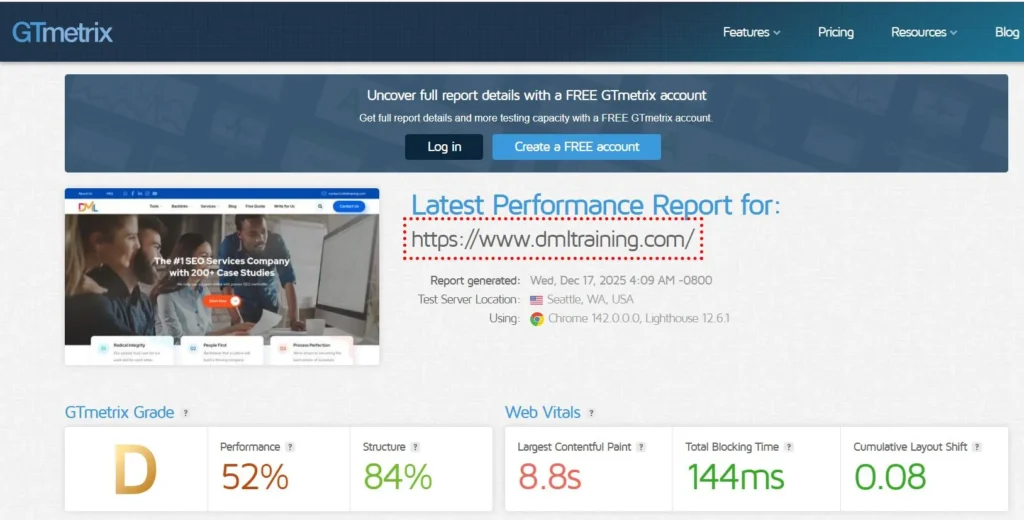
SPEED ANALYSIS: Test your site’s loading speed and receive actionable insights for improvement.
PERFORMANCE SCORE: Get detailed performance scores and recommendations to optimize your site.
HISTORICAL TRACKING: Monitor changes in your site’s performance over time with historical data.
14. SEO Quake
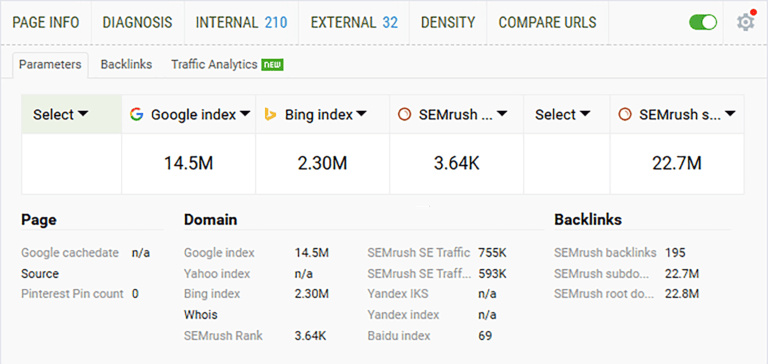
SEO OVERVIEW: A quick overview of any webpage’s SEO elements including meta tags and keywords.
SERP ANALYSIS: Compare multiple websites directly in the Search Engine Results Pages (SERPs).
FREE TOOL: A cost-effective option for beginners to get started with SEO analysis.
15. Majestic SEO
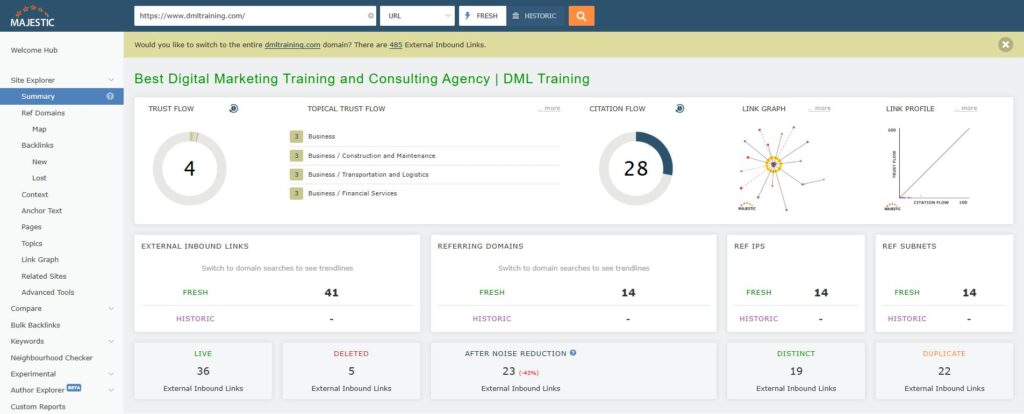
LINK ANALYSIS: Dive deep into your website’s backlink profile with trust flow and citation flow metrics.
SITE EXPLORER: Explore any domain in detail, uncovering top pages, referring domains, and backlinks.
LINK CONTEXT: Understand the context of your backlinks, including the surrounding content and anchor.
16. Copyscape
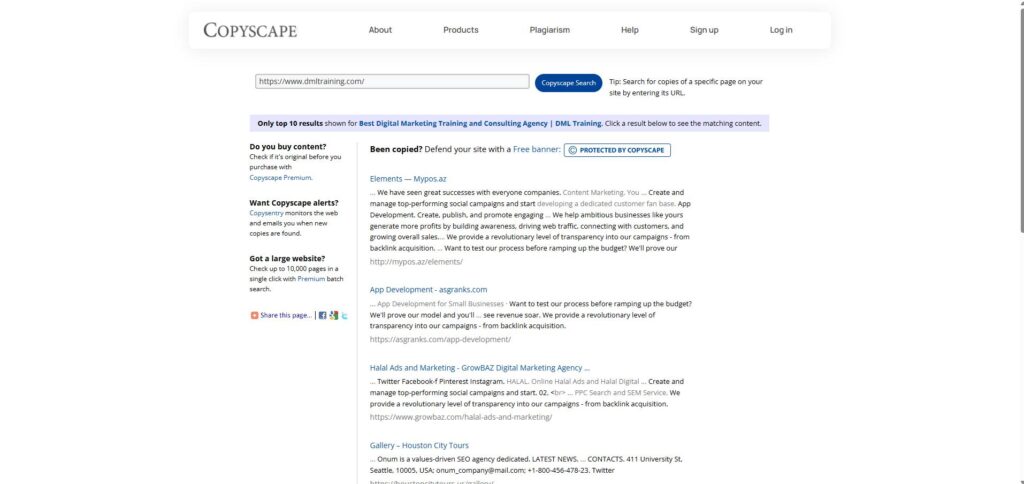
PLAGIARISM DETECTION: Ensure your content is original and avoid duplicate content penalties.
CONTENT PROTECTION: Protect your website from unauthorized content copying.
EASE OF USE: Simple interface that provides quick and accurate results.
Conclusion
SEO gets much easier once you know which tools to rely on. You don’t need to use everything at once—just start with a few and slowly build your workflow as you get comfortable. The tools in this list cover all the basics you need as a beginner, from researching keywords to checking site performance and improving your content. With a bit of practice, you’ll start seeing what works, what doesn’t, and how to make steady progress.
Related blog: How I Do SEO for New Websites